Tiger Exchange App — One Tap to the Cricket Board and Your Balance
The Tiger Exchange app is an Android APK you download straight from the desk, not from Google Play. Install takes about a minute on most phones. Your existing Tiger Exchange ID carries over untouched, so nothing gets created twice and your balance shows the same number the site showed.
The Tiger Exchange app download runs from the browser, then installs like any other Android file.
What the Tiger Exchange App Download Actually Gives You
Short version first. You get the same sportsbook you already use in a browser, wrapped so that it opens from a home-screen icon instead of a tab, and stays signed in a lot longer between visits. That is the honest description. Nobody should promise you a different set of markets in the Tiger Exchange app, because there is not one — the odds board, the casino tables and the account pages are the same ones the site serves.
What changes is friction. On a phone with a browser you type an address, wait for the page, sign in again because the tab got cleared, and only then look at the match. The Tiger Exchange app cuts most of that. One tap, the board is there, and switching between an in-play cricket market and the deposit screen does not reload the whole thing.
Two smaller things people notice after a week. Notifications, which the app can push and a browser tab cannot in any reliable way. And the address problem — when a betting address gets blocked by an ISP in India, the installed Tiger Exchange app usually keeps working while the browser is still refusing to open the site, because the app is pointed at the live endpoint rather than a bookmarked URL.
How to Download and Install the Tiger Exchange APK on Android
Six steps, in order. Do them on the phone itself, not on a laptop — a downloaded APK sitting on a desktop is no use to anyone. If any step behaves differently on your handset, the fixes further down cover it.
Open this Tiger Exchange page on the phone
Chrome, or whatever browser you use. Tap the download button at the top of this page. It hands you over to the official Tiger Exchange access point where the current build is served — do not hunt for the file on an APK mirror site, because those copies are repacked and sometimes months old.
Let the APK file finish downloading
Expect one scary-sounding line from the browser about files of this type. Every APK on earth triggers it, so carry on. The part that actually matters is patience: keep the phone awake, stay on one network, and do not tap the file untill the notification says the Tiger Exchange download finished. Half-finished files are what cause the errors further down this page.
Tap the file, then allow the browser to install
Android will stop you once and say installs from this source are not permitted. Tap Settings on that prompt — it takes you straight to Install unknown apps for Chrome — and turn the switch on. You are granting permission to Chrome, not to the file. Back out and the Tiger Exchange installer opens.
Confirm the install and ignore the Play Protect scan
Tap Install. Play Protect may pop up saying it does not recognise the developer and offer to send the app for scanning. Choose Install anyway. Google flags every unlisted APK this way; it is not a verdict on the Tiger Exchange build, just Google noting the file did not come through its store.
Open it and sign in
The icon lands on your home screen. First launch shows the login screen with two tabs, Mobile Number and User ID. Pick whichever your Tiger Exchange account was opened with, choose Password or OTP, and you are in. No separate app registration exists — same credentials, same wallet.
Allow notifications, skip the rest
Say yes to notifications if you want match and settlement alerts, and that is genuinely the only permission worth granting. The Tiger Exchange app does not need your contacts, your camera or your location to show a cricket board. If something asks, deny it and message the desk.
Inside the Tiger Exchange App — Screen by Screen
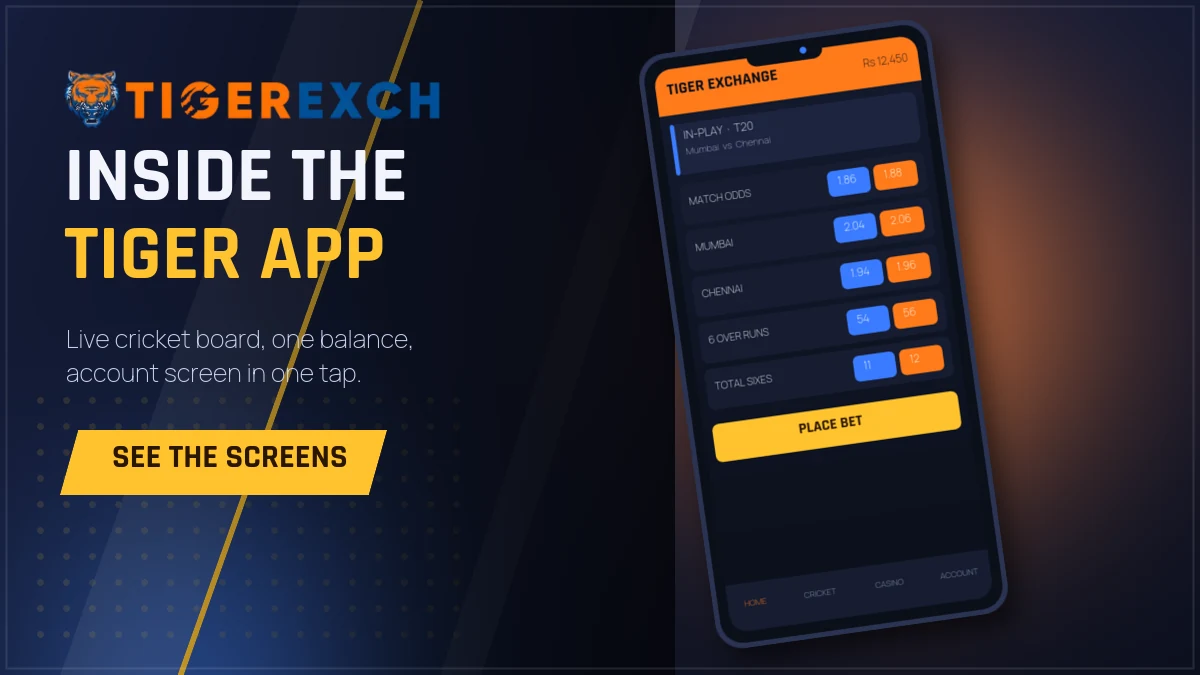
Home, in-play cricket and the account screen in the Tiger Exchange app.
The bottom bar
Home — featured matches, the live strip, and whatever tournament is running.
Cricket — every open match with in-play ones pinned to the top.
Casino — live dealer tables and the instant games in one grid.
The balance figure sits top-right on every screen in the Tiger Exchange app, so you never dig for it.
Your statement lists every settled market with date and result, which is what you want if a number looks wrong.
One-click stake buttons can be edited to your own amounts instead of the defaults.
The odds refresh themselves; pulling down to reload is a habit from the site you can drop.
A quick honest note about the layout. It is dense. On a small screen the cricket board can look like a wall of numbers the first time, and plenty of people back out of the Tiger Exchange app on day one because of that. Give it two matches. Once you you know where the market list ends and the stake row begins, the density stops registering and the browser version starts feeling slow by comparison.
Live Cricket and In-Play Markets in the Tiger Exchange App
Cricket is the reason most people install this thing, so it gets its own tab rather than a filter buried in a menu. Open Cricket in the Tiger Exchange app and live matches sit on top with a pulsing indicator, upcoming fixtures underneath by start time, and closed matches gone from the list entirely.
Inside a match you get the match-odds market first, then sessions and the smaller markets below it, each one collapsible. Prices move on their own — no refresh. During an IPL evening, when a wicket falls, you can watch the whole board reshuffle in under a second, and that responsiveness is the practical difference between the Tiger Exchange app and a browser tab on a patchy 4G connection.
Coverage runs past the obvous. Internationals, the IPL, the T20 leagues that run through the winter, plus domestic one-dayers that most apps ignore. Football and tennis are there too, and the casino section carries live dealer tables if the cricket calendar goes quiet for a week. Tiger Exchange keeps all of it under one balance, which is the part that matters — no shifting money between wallets.
One limitation, said plainly: the app shows prices and results, not a video stream of the match. Score updates and the market board are live; the picture is not. Keep the broadcast on a second screen if you follow ball by ball.
Tiger Exchange App vs the Mobile Site — Which One Should You Use
Both are free, both reach the same Tiger Exchange account, and you can run them side by side. Here is the split as I would explain it to somebody asking on chat.
Install the Tiger Exchange app if
You are on Android and you open the sportsbook more than twice a week.
You want Tiger Exchange alerts when a market settles or a match starts.
Your browser keeps logging you out mid-session.
Your ISP has started blocking the address and you are tired of hunting for a working one.
Stay on the mobile site if
You use an iPhone or an iPad — no APK will install there.
Storage on the phone is already tight.
You open Tiger Exchange once a month and do not want another icon.
You are on a borrowed or office device where installing anything is a bad idea.
There is no functional penalty for choosing the site. Deposits, withdrawals, statements and every market work identically in both, because the Tiger Exchange app is a wrapper around the same platform rather than a separate product. The gain is speed and persistence, not access. I said that earlier in different words and it is worth repeating, because a lot of pages selling APK downloads imply the app unlocks something extra. It does not.
Logging In to the Tiger Exchange App After Install
The Tiger Exchange sign-in screen is the same one the site uses, just full width. Two tabs across the top: Mobile Number with the +91 country code pre-filled, and User ID for accounts the desk opened by hand. Under the field there is a Password or OTP toggle. OTP is easier if your number is on that phone, since Android will read the code and fill it for you.
Forgot the Tiger Exchange password? The link under the field opens a reset where you enter your mobile number and set a new one, twice. If the account was created through the desk and the number attached is not the one in your hand, that reset will not reach you — message the desk instead and they re-issue it. Tiger Exchange support answers on chat all day, and this is the one job they handle faster than any self-service screen.
After the first successful login the Tiger Exchange app keeps the session alive for a long stretch. You will still get kicked out occasionally — a long gap between visits, a new build, or a password change on another device will each end it. That is normal and not a sign anything is broken.
Tiger Exchange App on iPhone, Tablets and Older Handsets
iPhone first, since it is the question that comes in most. Apple does not allow APK files and does not carry exchange betting apps in its store, so there is no iOS build of the Tiger Exchange app and there is not going to be one. What works instead: open the site in Safari, tap Share, scroll to Add to Home Screen. You get an icon, it launches full screen with no browser chrome, and the Tiger Exchange login behaves exactly as it does inside the Android app. Most people who try it cannot tell the difference after a day.
Tablets are fine. The APK installs on Android tablets and the board simply spreads out — more markets visible without scrolling, which on a ten-inch screen is genuinely nicer for a long Test session than the phone layout. iPad users take the Safari route above.
Older phones, say a four or five year old budget Android on 3 GB of RAM, will run the Tiger Exchange app but the in-play board can stutter when a lot of prices move at once. If that is your device, leave fewer apps open in the background and close the casino section when you are watching cricket. On anything running Android 7 or newer the install itself will go through; it is the live refresh, not the install, that strains an old chipset.
Money In and Out From Inside the Tiger Exchange App
The account tab holds the whole thing — deposit, withdraw, statement, and the bank or UPI details attached to your ID. Nothing moves through this website; the Tiger Exchange app talks to the same desk your ID came from, and the balance you see in the app is the balance the desk sees.
A deposit runs in the usual order: choose the method, send to the details shown, then submit the reference or the screenshot on the same screen so the desk can match it. Withdrawals go the other way — request from the account tab, and the payout lands on the bank account or UPI ID already registered against your Tiger Exchange ID. Adding a brand new payout destination is the one step the desk verifies by hand, so do it before you need the money rather than at midnight during a chase.
If a deposit does not show up in the app after the usual wait, do not send it twice. Open the statement, screenshot it, and message the desk with the transaction reference. Duplicate transfers are the messiest thing to unwind on any exchange, and Tiger Exchange support would far rather trace one payment than two.
When the Tiger Exchange App Will Not Install or Open
Five problems cover nearly everything people write in about. Work through them in this order before you reinstall anything.
"App not installed"
An older copy is still there with a different signature. Long-press the old Tiger Exchange icon, uninstall, restart the phone, then run the new APK. Do not try to install over the top — Android will refuse every time and give you the same three words.
"Parse error" on tapping the file
The download did not finish. Delete the partial file from Downloads and pull the Tiger Exchange APK again on a stable connection. Switching from mobile data to WiFi mid-download causes this more often then anything else does.
Install blocked, no Settings prompt
Some Chinese-brand phones hide the switch. Go to Settings, Apps, Special app access, Install unknown apps, and enable it for your browser by hand. Xiaomi and Vivo phones sometimes add a second confirmation with a sixty-second wait — let the timer run out.
App installs but opens to a blank screen
Usually DNS. Toggle airplane mode on and off, or switch between WiFi and mobile data. If it still hangs, clear the app cache from Settings and reopen. A blank Tiger Exchange screen is a network problem nine times out of ten, not a broken build.
Login rejected right after installing
Check that you are on the correct tab. A user ID typed into the mobile number field returns an invalid-credentials message that tells you nothing useful. Also check the caps — Tiger Exchange passwords are case sensitive and phone keyboards love to capitalise.
Nothing above worked
Send a screenshot to the desk on WhatsApp at +91 81097 11726 with your handset model and the exact wording of the error. Half the time they recognise the phone brand instantly and reply with the one setting that needs flipping. Tiger Exchange support handles installs daily.
Keeping the Tiger Exchange App Updated and Safe
Because it does not come from Play, the Tiger Exchange app does not auto-update. When a new build ships, the app itself usually tells you on launch with a prompt that links to the fresh APK — accept it. Skipping two or three updates in a row is how people end up on a version that cannot reach the current endpoint, and then assume the service is down.
On the safety side, the rule is short: install only from the link on this page or one the desk sends you directly. APK aggregator sites repack files, bundle adware, and serve builds that are three versions behind. A repacked Tiger Exchange APK with a modified login screen is exactly how credentials get lifted, and no amount of caution afterwards fixes that.
Leave Play Protect switched on after installing, too. It will grumble once during the install and then sit quietly. Its worth keeping because it still scans everything else on the phone, and turning it off to silence one warning is a bad trade.
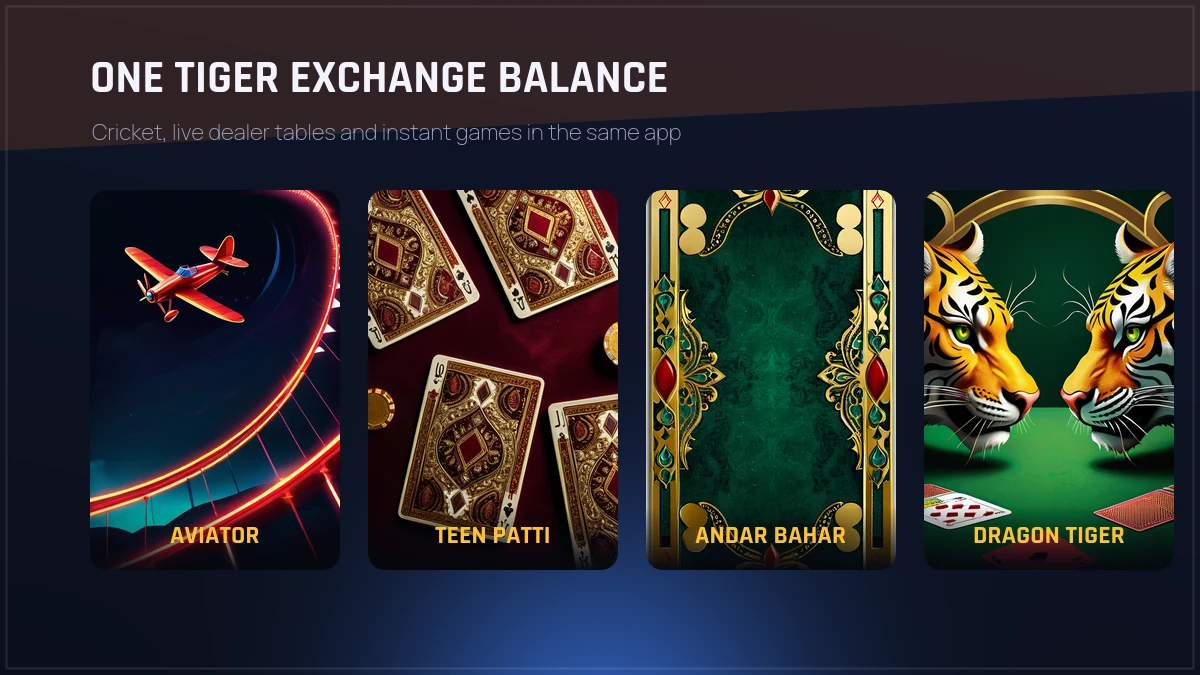
Cricket, live dealer tables and instant games sit under one Tiger Exchange balance.
Tiger Exchange App FAQ — What Punters Ask Before the Download
How do I download the Tiger Exchange app APK?
Open the Tiger Exchange download button on this page from your Android phone, let Chrome finish the APK file, then tap the file in your notification shade. Android asks for permission to install from that browser once. Allow it, tap Install, and the Tiger Exchange icon appears on your home screen.
Is the Tiger Exchange app on the Google Play Store?
No. Google Play does not list real-money exchange betting apps for India, so the Tiger Exchange app is distributed as a direct APK download instead. That is normal for this category. Anything calling itself a Play Store build of Tiger Exchange is not from the desk and should be ignored.
Why does my phone say app not installed for Tiger Exchange?
Usually an older copy is still on the phone with a different signature. Uninstall the old Tiger Exchange icon, restart the phone, then install the fresh APK. A half-finished download does the same thing, so delete the partial file from your Downloads folder and pull the Tiger Exchange APK again.
Can I use the Tiger Exchange app on an iPhone?
iOS does not accept APK files, so iPhone users open Tiger Exchange in Safari and use Share, then Add to Home Screen. That shortcut opens full screen without the browser bar and behaves like the app. Same Tiger Exchange account, same balance, same markets, nothing extra to install.
Do I need a new ID for the Tiger Exchange app?
No, one Tiger Exchange ID works everywhere. The username and password you already use on the site log you straight into the app, and your balance follows you. If you have never had an ID, ask the desk on WhatsApp or use the Register popup before you install anything.
Is the Tiger Exchange app safe to install?
The build linked from this page comes from the Tiger Exchange desk, not from a file-sharing mirror, and it asks for storage and notification permission only. Skip any Tiger Exchange APK sent by a stranger in a group chat, since repacked copies are where trouble starts. Keep Play Protect on afterwards.
Tiger Exchange App Download — The Checklist in One Place
Android handset ready, because the tiger exchange app ships as a direct tiger exchange apk download and not through Play.
Browser install permission enabled once, which is all the tiger exchange app download needs before the installer runs.
Credentials ready before install day: tiger exchange login works with the same tiger exchange id the desk issued, and tiger exchange register is where first-timers start.
Any earlier icon deleted before you start, which is the honest answer to the tiger exchange apk old version searches that show up after a refused install.
iPhone instead? Add to Home Screen covers tiger exchange app for android users' equivalent on iOS, same account either way.
Practice first if you prefer — a tiger exchange demo id lets you walk the screens with no money on them.
Stuck at any step, the tiger exchange whatsapp number reaches the same desk that opens IDs.
Put together, that is the whole route: tiger exchange 365 apk onto the phone, sign in with one ID, and the cricket board, the casino tables and the account statement all sit behind a single balance. People search for tiger exchange cricket app, tiger exchange official and tiger exchange betting app download apk and land on the same install — there is one Tiger Exchange build for Android, updated from inside the app, and the mobile site mirrors it for every device that cannot run an APK.